What is PPSSPP Gold APK? – Complete Beginner’s Guide
PPSSPP Gold APK
Complete Beginner’s Guide
Master PSP gaming on Android with our comprehensive 8-step guide. Play your favorite PSP games in HD with enhanced graphics and performance.
What is PPSSPP Gold APK?
PPSSPP Gold APK is the paid edition of the PPSSPP emulator. It was developed by Henrik Rydgård, who also created the free version. The Gold build includes all the core features of PPSSPP but also adds extra support for advanced settings and customization. Many users choose the Gold version not only for features but also to support the developer.
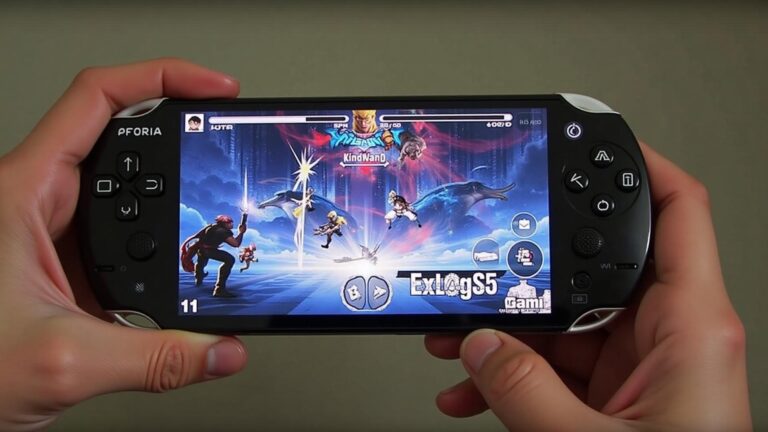
With PPSSPP Gold, you can play PSP games in HD resolution, adjust control layouts, use external controllers, and access settings that let you balance performance and graphics. It works on most modern Android devices and supports a wide range of PSP games.
Why Choose PPSSPP Gold APK?
HD Gaming Experience
Play PSP games on Android in HD resolution with enhanced graphics and smooth performance
Custom Controls
Customize controls and use external gamepads for the perfect gaming experience
Save States
Save and load states anytime – never lose your progress again
Performance Optimization
Works efficiently even on mid-range devices with smart performance settings
Visual Enhancements
Support for cheats, themes, and shaders to customize your gaming experience
Multiple Formats
Works with ISO and CSO file formats with fast forward for slow parts
Benefits of Using PPSSPP Gold
- High performance even on mid-range devices
- Smooth gameplay with fewer lags
- Large-screen experience on tablets
- Easy setup for both beginners and advanced users
- Long-term support and updates from the developer
Safety and Legal Notes
PPSSPP Gold APK itself is safe if you download it from trusted sources. The risk comes from downloading game files from illegal sites. To stay safe, only use PSP games you own or that are legally available. Supporting the developer by purchasing the Gold version also ensures you are contributing to future updates.
Set Up Game Controls
Good controls make a big difference in gameplay. PPSSPP Gold offers customizable on-screen buttons. You can move, resize, and change button layouts to match your comfort. If you prefer physical controls, connect an external gamepad. Many popular controllers, such as Xbox or PlayStation pads, work with PPSSPP Gold via USB or Bluetooth. Once connected, go to Settings > Controls > Control Mapping and assign buttons as you like.
Adjust Graphics for Performance
Not all devices handle PSP games the same way. If you have a powerful phone, you can enable higher resolutions, texture scaling, and filtering for sharp visuals. If your device is older or mid-range, lower the rendering resolution and enable frame skipping. This reduces lag and keeps the gameplay smooth. Testing one setting at a time is the best way to find the right balance for your device.
Use Save States and Extra Features
PPSSPP Gold includes features that improve gameplay convenience. Save states allow you to save your progress anytime, not just at in-game checkpoints. Fast forward helps skip slow scenes. Shaders and themes give your games a unique look. Cheats are supported too, if you want to unlock hidden items or make games easier. Explore these features in the settings menu to customize your experience.
Fix Common Problems Quickly
Solve the most common PPSSPP Gold APK issues with our step-by-step solutions
Game Won’t Start (Black Screen)
Check if the ISO file is valid and not corrupted. Try a different ROM file.
Quick Steps:
Verify ISO integrity
Re-download the game file
Check file format (ISO/CSO)
Audio Problems or No Sound
Switch the sound backend in PPSSPP settings to resolve audio issues.
Quick Steps:
Go to Settings > Audio
Change audio backend
Restart the game
Lag and Performance Issues
Lower the rendering resolution or enable frame skipping for smoother gameplay.
Quick Steps:
Reduce resolution
Enable frame skipping
Turn off advanced effects
App Crashes Frequently
Update GPU drivers or reinstall the latest PPSSPP Gold APK version.
Quick Steps:
Update device drivers
Clear app cache
Reinstall PPSSPP Gold